8 New Updates: Swipe, Folders, MCP and More!
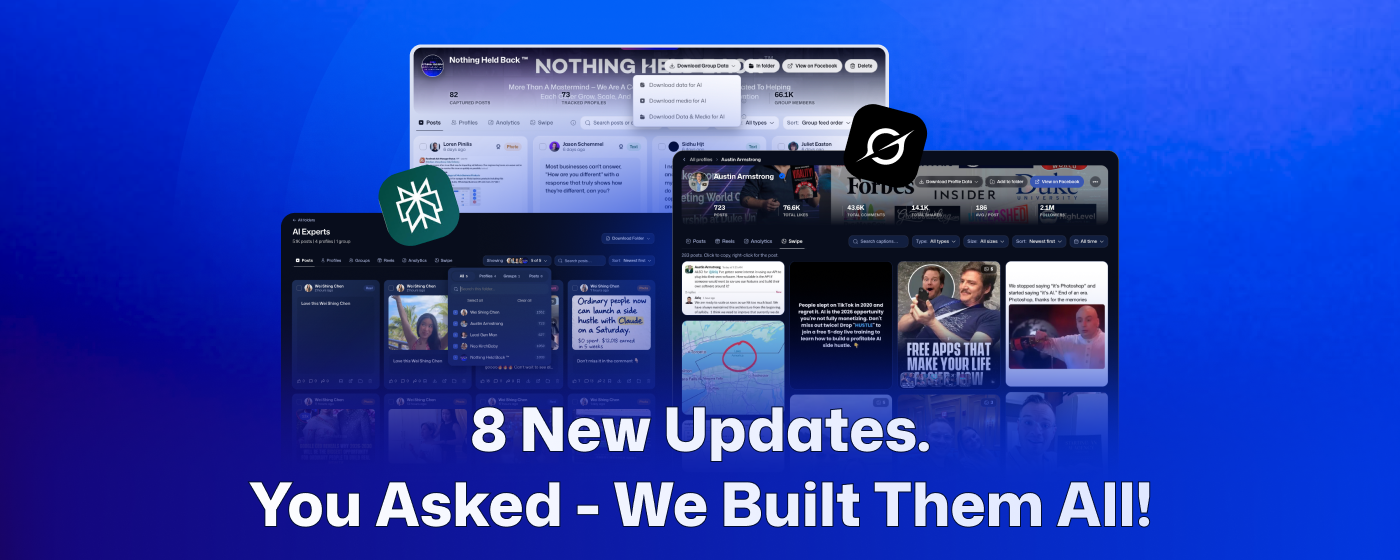
We got 8 updates coming your way, including one thing PostSnag has never done before. Back in August, we put PostSnag inside Claude and ChatGPT. That was one update.
This update has 8, and one of them is brand new:
🖼 Swipe (generate content at scale)
📁 Folders (completely rebuilt from your feedback)
👑 Facebook group roles (organize more intelligently)
🤖 The MCP: Grok, Perplexity (including grokbot, cowork, codex, etc)
🔥 Outlier badges on every card (spot outliers faster, anywhere.
📝 Profile Facelift (we made it easier to read your data)
⬇️ Simplified downloads (exports built for AI)
📞 Schedule a Call (questions, feedback, or wanna chat?)
Let's get into it 👇
1. Swipe
Brand new, and there was nothing like it before. Every image you have captured from a profile is now one click from being yours. Click it, it is on your clipboard. Paste it into Claude or ChatGPT, tell it to build your version, and you have finished creative without opening a design tool. Swipe sits on every profile, inside every group, and inside every folder.
The whole grid on one screen. Click Swipe and every image from that profile, group, or folder is in front of you. Scroll it like a feed. Hover any tile to bookmark it and see the caption and who posted it. Albums keep their slides, so a five slide carousel is still a five slide carousel, and you can move through it one image at a time or use the arrows.
One left click copies it. The image goes straight to your clipboard. The old routine was screenshot, crop, save, hunt for the file, upload. That is gone. Copy an image out of Swipe, paste it into ChatGPT, type "create this, but use the info to promote PostSnag," and hit enter. Works the same in Grok, in Gemini, in whatever you already have open.
Right click for the post behind it. An image alone is half the story, so right click any tile and you get the caption, a larger view, and the option to drop it into any folder. Right click an album and you get the same panel plus every image inside it laid out one by one, and a left click on any of those copies just that slide. If a creator reuses the same template over and over, you can lift the set.
Filter it down fast. Sort the grid, filter by size so you only see square or landscape, split individual photos from albums, and search the captions to find an image by remembering the words on it.
2. Folders
We tore the old bookmark system out and rebuilt the whole thing. This one came from a power user who wrote in and pointed at a couple of obvious flaws we had not caught, and once he explained it we could not unsee it. Bookmarking used to be one flat list, and everything landed in it. A real project is not a flat list. It is two or three profiles you are studying, a group they all post in, and a handful of posts you grabbed on the way past. So that is what a folder holds now.
One folder holds profiles, groups, and posts. Make as many folders as you want and put anything in them. Whole profiles, whole groups, individual posts pulled out of either one.
The bookmark button is now Add to folder. Everywhere you used to see a bookmark icon, on a profile, a group, or a post, you now pick the folder it belongs in or create a new one without leaving the page. Bookmarks is still there as your default.
Every folder is its own dashboard. Posts pulls every post from every source into one feed. Profiles separates the ones you added yourself from the ones that came in attached to a group. Groups lists every group in the folder, and you can hover one to remove it without touching the rest. Reels collects every video reel in the folder. You also get quick analytics, and the swipe file for the whole thing.
Turn sources on and off. Click Showing at the top and you can filter what the folder is displaying. Keep two of the five profiles, drop the group, keep the loose posts, and see the whole thing at a bird's eye view.
Take the whole folder, or just what you pick. Multi select individual posts, reels, or swipe files and export only those. Or pull the entire folder from the download menu, data on its own or data and media together, ready to drop into Claude or ChatGPT.
3. Facebook group roles
Scanning a group used to give you posts and names. Now it gives you the hierarchy too. PostSnag pulls the member classes along with the posts, so you can tell the people running the room from the people posting in it before you read a single caption.
We now capture the class types Facebook assigns. Admin, moderator, owner, and the contributor classes like all star contributor and top contributor. Export to your dashboard and the badges are sitting next to each profile. Hover any one of them to see what it means and what it indicates.
Sort and filter a group by role. Want only the moderators, only the admins, or only the top contributors? Pick the role and that is what you see.
Roles work in the MCP too. They went in with everything else, so you never have to come back to the dashboard for them. Ask "show me posts from the moderators" and you get them, inside Claude, ChatGPT, Perplexity, or Grok.
4. The MCP
Four platforms instead of two, and it now understands folders. If you have not connected it yet, this is the one we would push you toward hardest of anything in this post.
Grok and Perplexity join Claude and ChatGPT. Same connector link, two more places to work.
Point it at a whole folder. Now that a folder holds profiles, groups, and posts together, one sentence points Claude or ChatGPT at an entire project. "Check out my AI Niche folder, tell me what are the top 10 posts, and help me write a blog article based off of them."
A few more things
The smaller upgrades that make PostSnag nicer to live in day to day.
The outlier badge is on the card now. It used to only appear once you opened a post and looked at the sidebar, which meant opening posts to find out they were worth opening. It now shows up anywhere you have a Posts tab selected: the Posts view, any profile, any folder, and inside any group.
Text posts are readable. On the profile view, a text only post now gets real formatting, with proper separation between the post and its caption.
Downloading, simplified. The download menu gives you the same three choices: the data, the media, or the data and the media together.
Book time with us. A Schedule a Call button now sits at the bottom left of the sidebar. Question, feedback, or something you want built, get one of us on a call.
This is just the start
Everything above landed in a matter of weeks. Open a profile you have captured and click Swipe, copy one image straight into Claude or ChatGPT, then build a folder around whatever you are working on this week and point the MCP at it. Then tell us what to build next on the roadmap. We are listening.